
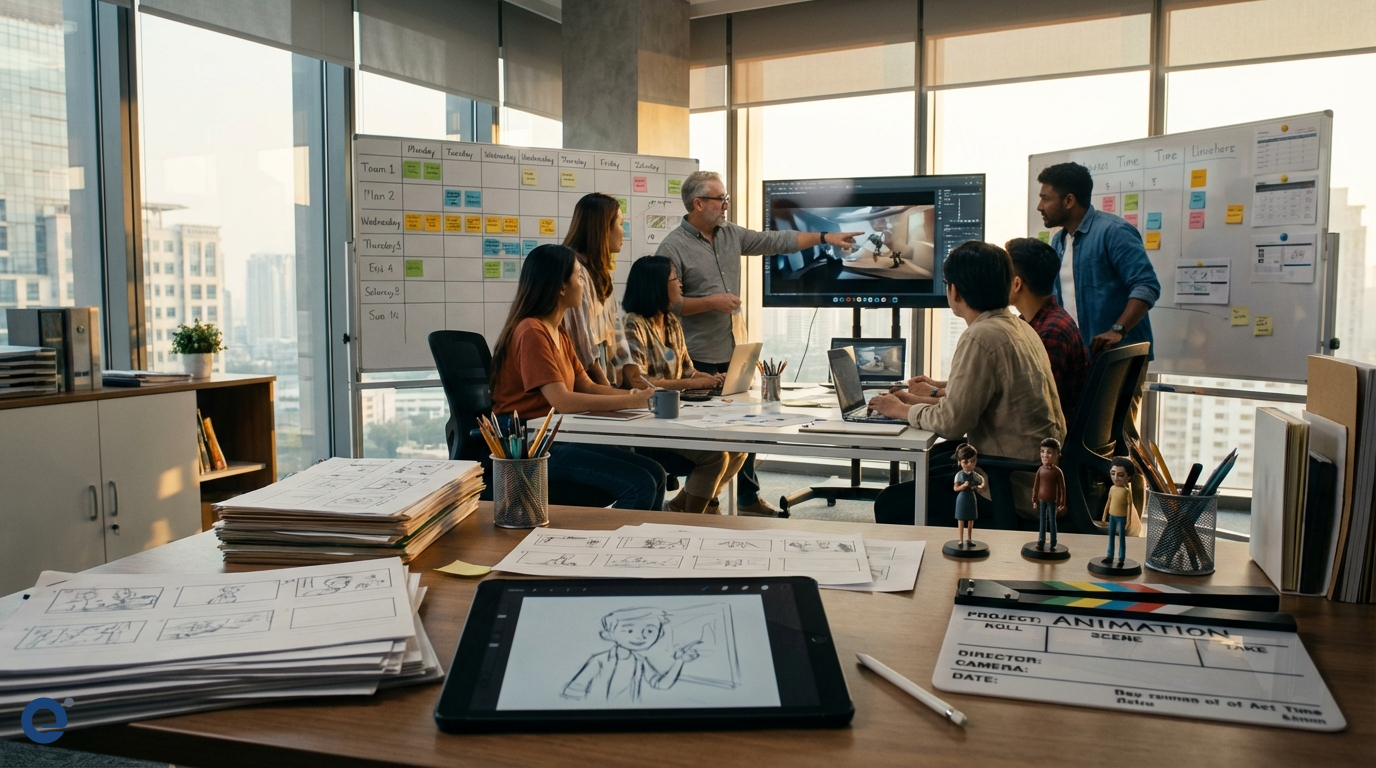
Animation project management is a unique and complex field. It blends artistic creativity with technical precision. Furthermore, it requires strong leadership and organizational skills. Managing an animation project involves overseeing the entire production pipeline, from initial concept to final delivery. This guide is for project managers looking to excel in the dynamic world of animation.
The animation industry is incredibly diverse. It includes feature films, TV series, video games, and commercials. Therefore, project managers must be adaptable. They need to understand the nuances of different animation styles and workflows. Moreover, the blend of creative artists and technical experts in animation teams presents unique management challenges. However, the reward is bringing imaginative worlds and characters to life.
The Animation Production Pipeline: A Project Manager's Overview
Understanding the animation pipeline is crucial for any project manager. It typically consists of three main stages: pre-production, production, and post-production. Each stage has distinct tasks and deliverables. Consequently, careful planning is essential at every step.
Pre-production
This is where the project's foundation is laid. It begins with the initial idea or concept. Then, scriptwriting and story development take place. Storyboards visually outline the narrative. Animatics, which are timed storyboards with rough audio, follow. Character, environment, and prop designs are also created during this phase. Therefore, pre-production heavily influences the project's direction and budget.
Production
The production stage is where the animation is actually created. For 3D animation, this involves modeling (creating 3D assets), texturing (adding surface details), and rigging (creating a skeleton for animation). Then, animators bring the characters and objects to life. Lighting artists set the mood, and finally, rendering generates the individual frames. This stage is often the most time-consuming and resource-intensive.
Post-production
After the animation is rendered, post-production begins. Compositing combines various visual elements into the final image. Editing assembles the shots into a cohesive sequence. Sound design, including music, dialogue, and foley, is added. Finally, color grading ensures a consistent look and feel. Thus, post-production is vital for the final polish.
Key Roles and Responsibilities in Animation Projects
Animation projects involve a diverse team of specialists. The project manager orchestrates their efforts. However, understanding each role is key to effective management.
The Project Manager's Role
The project manager is responsible for planning, executing, and closing the project. They manage the schedule, budget, and resources. Moreover, they facilitate communication between departments and stakeholders. They also identify and mitigate risks. Ultimately, they ensure the project is delivered on time and within budget.
Producers, Directors, and Art Directors
Producers oversee the project from a business and financial perspective. Directors guide the creative vision of the animation. Art Directors define and maintain the project's visual style. These roles work closely with the project manager.
Technical and Artistic Teams
Technical Directors (TDs) solve technical challenges and develop tools. Animators create the movement and performance. Modelers build the 3D assets. Riggers create the control systems for animation. Compositors blend visual elements. Each role is crucial to the pipeline.
Pre-production: Laying the Foundation for Success
Thorough pre-production is the bedrock of a successful animation project. It minimizes uncertainties during the more expensive production phase. Therefore, project managers should allocate sufficient time and resources here.
Developing the Concept and Story
Every animation starts with an idea. Developing this into a compelling story is the first step. This involves scriptwriting, character development, and defining the world. Clear storytelling is paramount.
The Importance of Storyboarding[1] and Animatics
Storyboards visually translate the script into a sequence of images. They help plan shots and action. Animatics add timing and rough audio to the storyboards. Consequently, they provide a better sense of the final product's pacing before full production begins.
Character and Environment Design
Visual development is key in pre-production. Artists design the look of characters, environments, and props. These designs must align with the story and the director's vision. Detailed design work prevents costly changes later.
Budgeting and Scheduling in Pre-production
Accurate budgeting and scheduling start here. The project manager breaks down the script and storyboards to estimate the work involved. This informs the overall project plan. Initial resource allocation also happens at this stage.
Managing the Production Phase: Bringing Ideas to Life
The production phase is where the bulk of the animation work happens. It requires careful coordination and management. Moreover, maintaining quality and consistency is vital.
Asset Creation: Modeling, Texturing, Rigging
For 3D animation, artists build digital assets based on the designs. Modelers create the 3D shapes. Texture artists paint the surfaces. Riggers build the underlying skeletons and controls for movement. The character rigging process is particularly complex.
The Animation Process: From Blocking to Polish
Animators take the rigged models and bring them to life. They start with blocking, which defines key poses. Then, they refine the movement, adding detail and nuance. Finally, they polish the animation for the final look.
Lighting and Rendering[2]: Setting the Mood
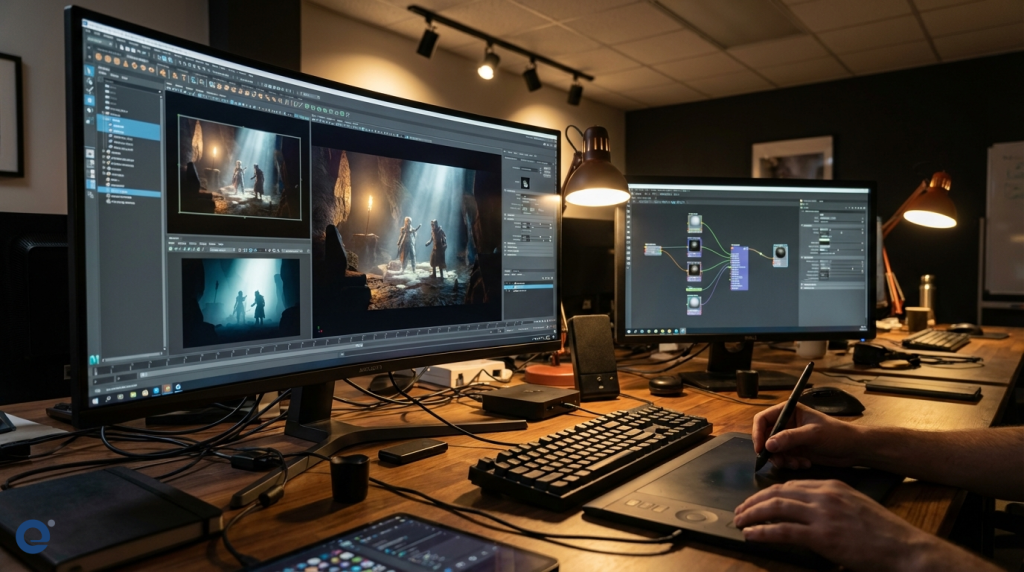
Lighting artists use digital lights to illuminate the scenes. This creates the mood and atmosphere. Rendering is the process of generating the final 2D images from the 3D scenes. It is computationally intensive. Therefore, render farms are often used.
Tracking Progress and Managing Iterations
Project managers must track the progress of each shot and asset. Animation is an iterative process. Feedback from the director and supervisors leads to revisions. Managing these iterations efficiently is crucial.
Post-production: The Final Polish
Post-production is where all the elements come together. It is the final stage before delivery. Consequently, attention to detail is paramount.
Compositing and Visual Effects (VFX)[3]
Compositors combine rendered animation, backgrounds, and visual effects. They integrate all visual elements seamlessly. VFX artists may add elements like smoke, fire, or explosions.
Editing and Pacing
The editor assembles the final shots. They ensure the story flows well and the pacing is effective. The editor works closely with the director to achieve the desired narrative rhythm.
Sound Design, Music, and Foley
Sound is a critical component of animation. Sound designers add dialogue, sound effects, and ambient sounds. Composers create the musical score. Foley artists create custom sound effects synchronized with the action.
Color Grading and Final Output
Color grading adjusts the color and tone of the final images. It ensures visual consistency and enhances the mood. Finally, the project is rendered to the final delivery formats.
Essential Tools and Technologies for Animation Project Management
Technology plays a huge role in animation. Project managers need to be familiar with various tools. These tools help manage workflows, assets, and communication.
Project Management Software
Software like Autodesk ShotGrid, ftrack, Asana, Trello, and Jira are commonly used. They help track tasks, manage schedules, and facilitate collaboration. Choosing the right tool depends on the project's scale and complexity.
Asset Management Systems
Animation projects generate a vast number of digital files. Asset management systems help organize, version, and track these assets. This is crucial for large teams and complex projects.
Communication and Collaboration Tools
Tools like Slack, Microsoft Teams, and specialized review software (like SyncSketch or Frankie) are vital. They enable clear communication and feedback, especially with remote teams. Moreover, managing project data and communications requires attention to data privacy regulations where applicable.
Budgeting and Scheduling in Animation
Budgeting and scheduling are core responsibilities of an animation project manager. Animation can be expensive and time-consuming. Therefore, accurate planning is essential.
Estimating Costs for Different Animation Styles
The cost of animation varies greatly. 2D animation, 3D animation, stop-motion, and other styles have different resource requirements. The level of detail and quality also impacts cost. Project managers must understand these factors.
Creating Realistic Schedules
Schedules need to account for all stages of the pipeline. They should also include buffers for revisions and unexpected delays. Breaking down the project into smaller tasks helps create a more accurate schedule.
Managing Scope Creep[4] and Change Orders
Scope creep, the uncontrolled expansion of project requirements, is a common problem. Project managers must have clear change order processes. This helps manage stakeholder expectations and control the budget and schedule when changes are requested.
Managing Animation Teams: Creative and Technical
Animation teams are a blend of artistic and technical talent. Managing such teams requires a balanced approach. Furthermore, fostering a collaborative environment is key.
Leading Creative Talent
Creative individuals thrive on inspiration and clear direction. Project managers should work with directors to provide this. However, they also need to ensure that creative exploration stays within the project's constraints.
Facilitating Communication Between Departments
Clear communication between different departments (e.g., modeling and rigging, animation and lighting) is vital. Misunderstandings can lead to errors and delays. Regular meetings and clear documentation help.
Quality Control and Feedback Loops
Establishing clear quality control processes is important. Regular reviews and feedback sessions ensure the output meets the required standards. Constructive feedback is essential for creative teams.
Risk Management in Animation Projects
Animation projects are prone to various risks. Proactive risk management is crucial for project success. Therefore, identifying and planning for risks is a key task.
Identifying Potential Risks
Risks can be technical (e.g., software issues, render farm problems), creative (e.g., story problems, design challenges), or financial (e.g., budget overruns). Team-related risks (e.g., burnout, skill gaps) also exist.
Mitigation Strategies
Once risks are identified, mitigation strategies should be developed. This might involve technical solutions, additional training, or adjusting the schedule or budget. For instance, using cloud-based tools for data management can mitigate some data loss risks.
Contingency Planning
Contingency plans outline how to respond if a risk materializes. Having buffer time in the schedule and a contingency fund in the budget are common practices.
The Role of AI in Animation Project Management
Artificial Intelligence (AI) is increasingly impacting the animation industry. It offers tools that can enhance efficiency and creativity. Project managers should be aware of these developments.
AI-assisted Animation Tools
AI can assist with tasks like motion capture cleanup, rotoscoping, and even generating rough animation. This can speed up parts of the production process. However, human artists remain essential for creativity and refinement.
AI in Workflow Optimization
AI can also help optimize workflows and resource allocation. It can analyze data to predict potential bottlenecks or suggest more efficient ways to schedule tasks. AI in animation production is a rapidly evolving area.
Future Trends
The role of AI in animation is expected to grow. Generative AI tools may further change how content is created. Project managers need to stay informed about these trends and their potential impact on projects.
Legal and Ethical Considerations
Animation projects involve legal and ethical aspects. Project managers must ensure compliance. This includes intellectual property rights and content regulations.
Intellectual Property[5] Rights
Clear agreements regarding the ownership of characters, stories, and artwork are essential. This involves contracts with artists, writers, and other creators. Protecting the project's IP is crucial.
Contracts and Licensing
Project managers often deal with contracts for software, music, and voice talent. Understanding licensing agreements is important to avoid legal issues.
Content Distribution and Regulation
When distributing animation, especially internationally, content regulations must be considered. Some content may be sensitive in certain regions, and as seen with live-action films, national authorities regulate film content to ensure compliance with local laws and sovereignty, which can impact distribution.
Conclusion: The Art and Science of Animation Project Management
Managing animation projects is both an art and a science. It requires balancing creative vision with technical execution and business constraints. Furthermore, it demands excellent communication, organization, and problem-solving skills.
The animation industry is constantly evolving. New technologies and techniques emerge regularly. Therefore, project managers must be lifelong learners. By mastering the principles outlined in this guide, project managers can successfully navigate the exciting and challenging world of animation, bringing incredible stories to the screen.
More Information
- Storyboarding: A sequence of drawings, typically with some directions and dialogue, representing the shots planned for a film or television production. It visualizes the narrative.
- Rendering: The process of generating a photorealistic or non-photorealistic image from a 2D or 3D model by means of a computer program. It converts the scene data into the final output image or frames.
- Visual Effects (VFX): The process by which imagery is created or manipulated outside the context of a live-action shot in filmmaking and video production. VFX involves the integration of live-action footage and generated imagery.
- Scope Creep: In project management, scope creep refers to changes, continuous or uncontrolled growth in a project's scope, at any point after the project begins. This can occur when the scope of a project is not properly defined, documented, or controlled.
- Intellectual Property (IP): Refers to creations of the mind, such as inventions; literary and artistic works; designs; and symbols, names, and images used in commerce. IP is protected in law by, for example, patents, copyright, and trademarks.